


October 2026
Announcing Rsdoctor 2.0


We are excited to announce Rsdoctor 2.0! 🎉
Rsdoctor is a build analysis tool designed for Rspack. It helps developers investigate problems through visual reports and provides agents with data for automated diagnosis and optimization.
Highlights in this release include:
- Build analysis for agents: Use the same analysis data for visual investigation by developers and automated analysis by agents
- Smaller installation size: Reduce installation size by 56% and dependency count by 78%
- Faster analysis: Reduce build analysis time by 57%
- Faster rebuilds: Reduce analysis overhead during rebuilds, lowering HMR time by about 47%
- Improved multi-compiler support: View analysis results for multiple compilers in one report
Build analysis for agents
As agents take on more analysis, diagnosis, and optimization work, we want Rsdoctor to provide the build data they need to understand a project's build process and find opportunities to improve it.
Rsdoctor's visual interface primarily serves developers. To make the same data accessible to agents, we introduced Agent CLI in Rsdoctor 1.x. It reads rsdoctor-data.json directly, supports searching and filtering report data, and returns structured JSON so agents can query what they need and investigate problems step by step.
In 2.0, Agent CLI is the recommended approach to automated analysis. The Rsdoctor analysis skill helps agents choose query commands and interpret the results for their task. Start by installing Agent CLI in your project. You can also install the companion skill for your agent:
Next, configure brief mode in the Rsdoctor plugin to generate rsdoctor-data.json for the agent to query:
Then run pnpm run build. For a one-off JSON output, you can also run RSDOCTOR_OUTPUT=json pnpm run build.
Once the report is generated, describe what you want to investigate in natural language:
The agent chooses the relevant rsdoctor-agent commands and uses the project context to identify problems such as large chunks or duplicate dependencies. It can then query module issuer chains, loader timings, or tree-shaking bailouts to narrow down the cause and suggest optimizations.
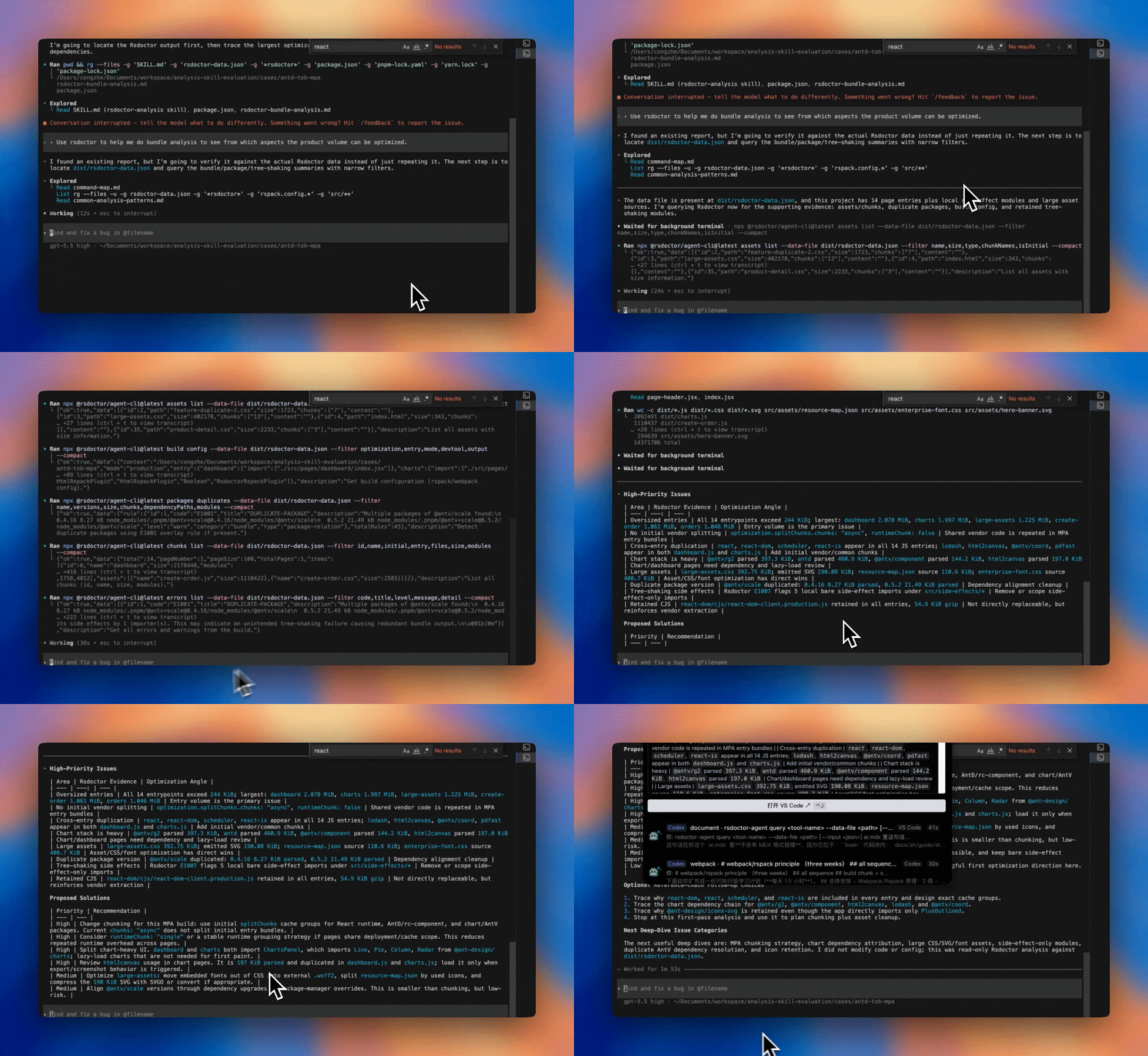
With Agent CLI now serving as the entry point for agent analysis, we have retired the MCP Server workflow in Rsdoctor 2.0. Projects using @rsdoctor/mcp-server can follow the 2.0 migration guide to migrate.
Smaller installation size
Rsdoctor 2.0 consolidates analysis capabilities previously spread across multiple packages into @rsdoctor/core and reduces runtime dependencies. This means fewer packages to download during installation and less disk usage in local development and CI environments.
These changes reduce the installation size from 25.5 MB to 11.1 MB and the dependency count from 83 to 18:
Faster analysis
Since 1.5, Rsdoctor has used Rspack's native plugin to collect build data by default. Version 2.0 further simplifies the JavaScript implementation by moving more data collection logic to the native plugin. The experiments.enableNativePlugin option has also been removed.
These optimizations further reduce Rsdoctor's analysis overhead. In the benchmark, Rsdoctor 2.0 reduced analysis time by 57% compared with 1.4:
Faster rebuilds
Running Rsdoctor during development lets you analyze builds as you edit your code, but analysis overhead can also make each update take longer. Rsdoctor 2.0 streamlines analysis in watch mode so you can keep inspecting your builds with less time spent waiting for changes to appear.
Rsdoctor now reuses existing analysis results and the report server on each rebuild. Watch mode also skips module and asset gzip-size calculations and saves reports with a faster compression level to reduce the work needed for each update.
Benchmarks showed the following improvements:
Improved multi-compiler support
Rsdoctor 2.0 improves multi-compiler support for a better experience with full-stack frameworks.
Rsdoctor automatically brings analysis results from multiple compilers into one report. You can switch between results by compiler name without moving between separate reports. Child compilers created by plugins are also detected automatically, with their data displayed separately from the main compiler.
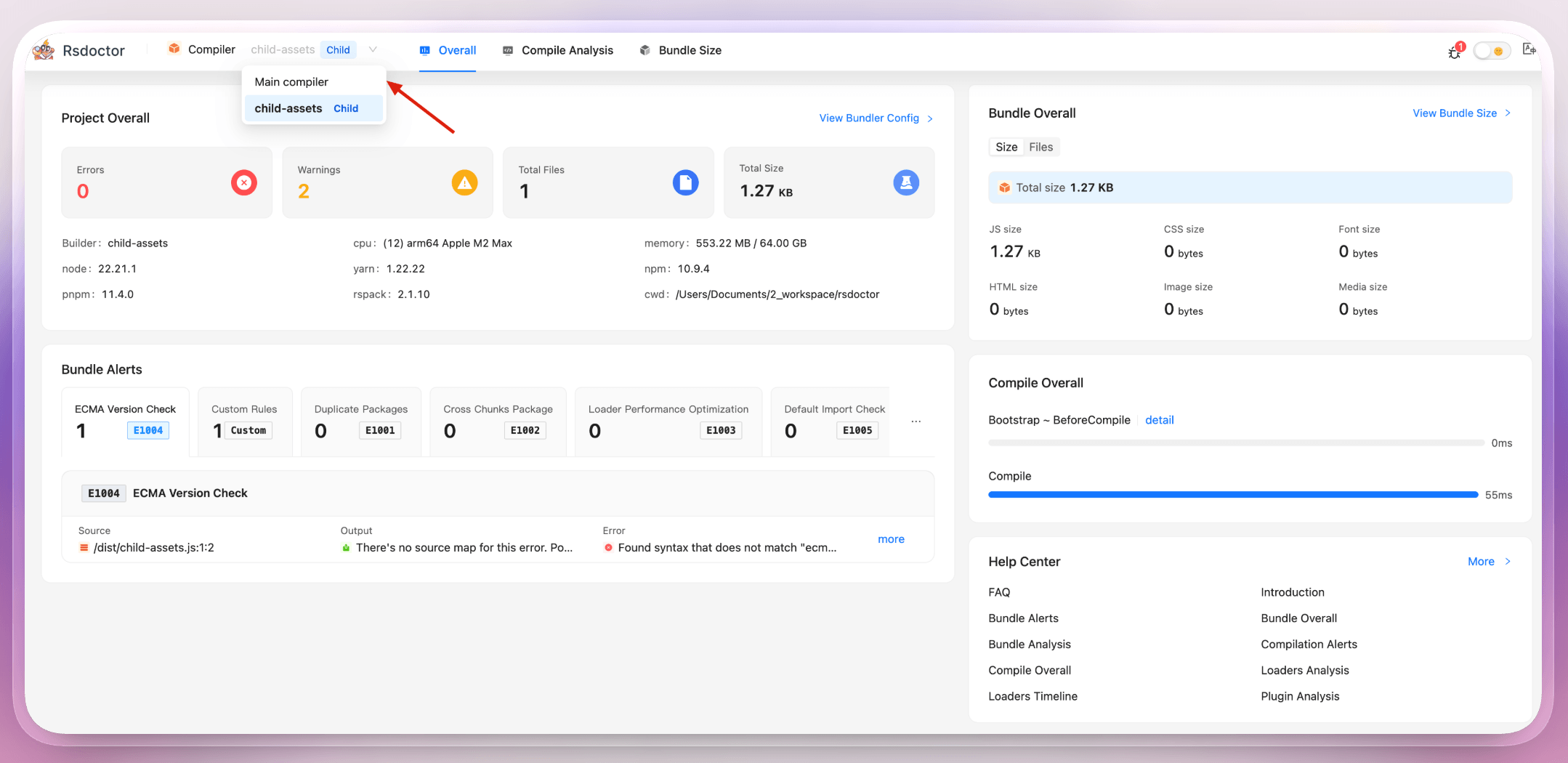
These features are enabled by default. To customize grouping, such as keeping an SSR project's client and server builds together, give the plugin instances the same group name:
If compilers in the same process belong to unrelated builds, you can disable automatic grouping with multiCompiler: false. Agent CLI also supports selecting a compiler, so agents can focus on a specific build.
Bundle analysis UI improvements
Analyzing bundle size often starts with finding a large asset or chunk, then exploring the modules inside it. As a project grows, those modules can span many nested directories, making them harder to navigate. Rsdoctor 2.0 improves the Bundle Size page to make that process easier.
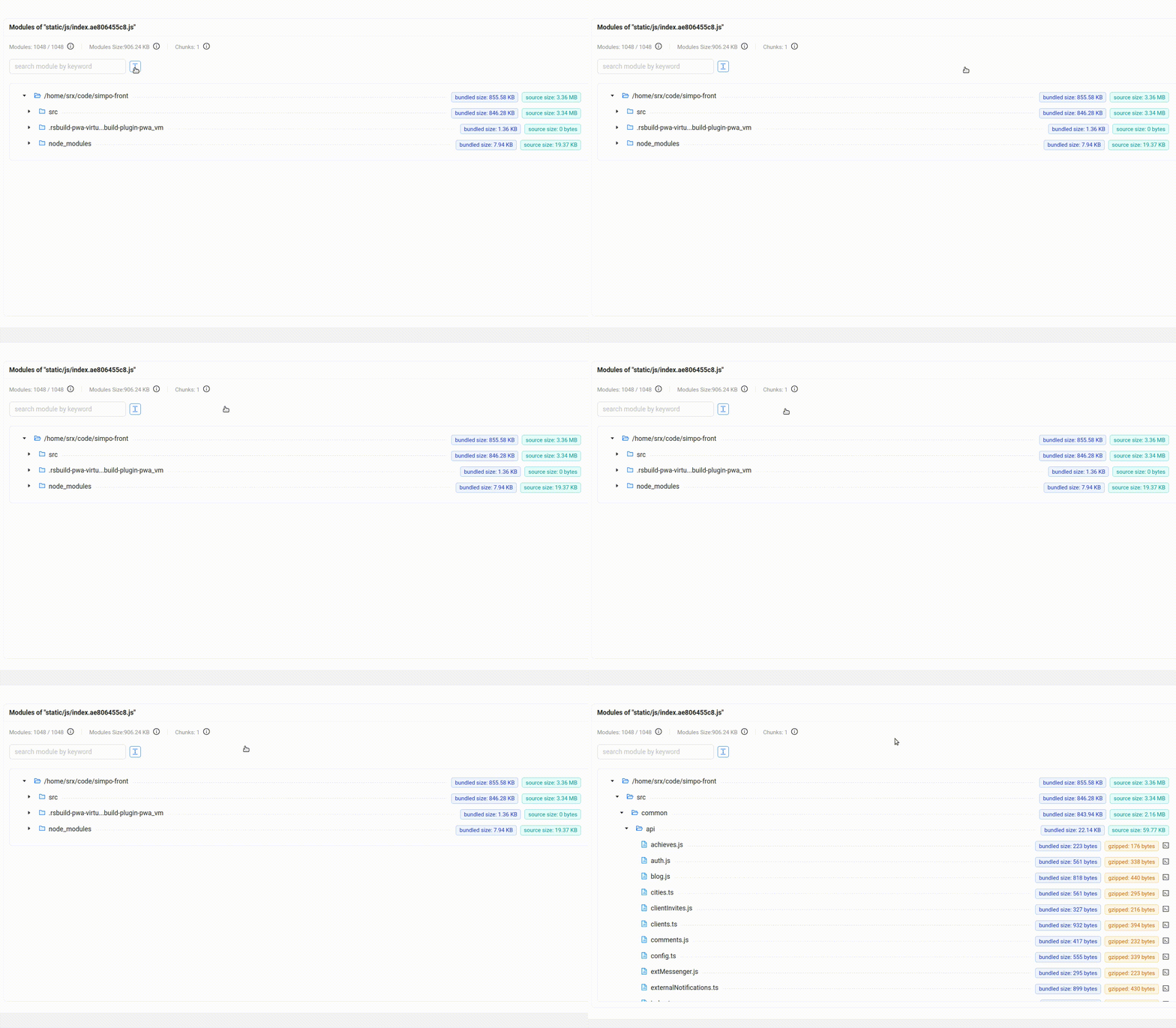
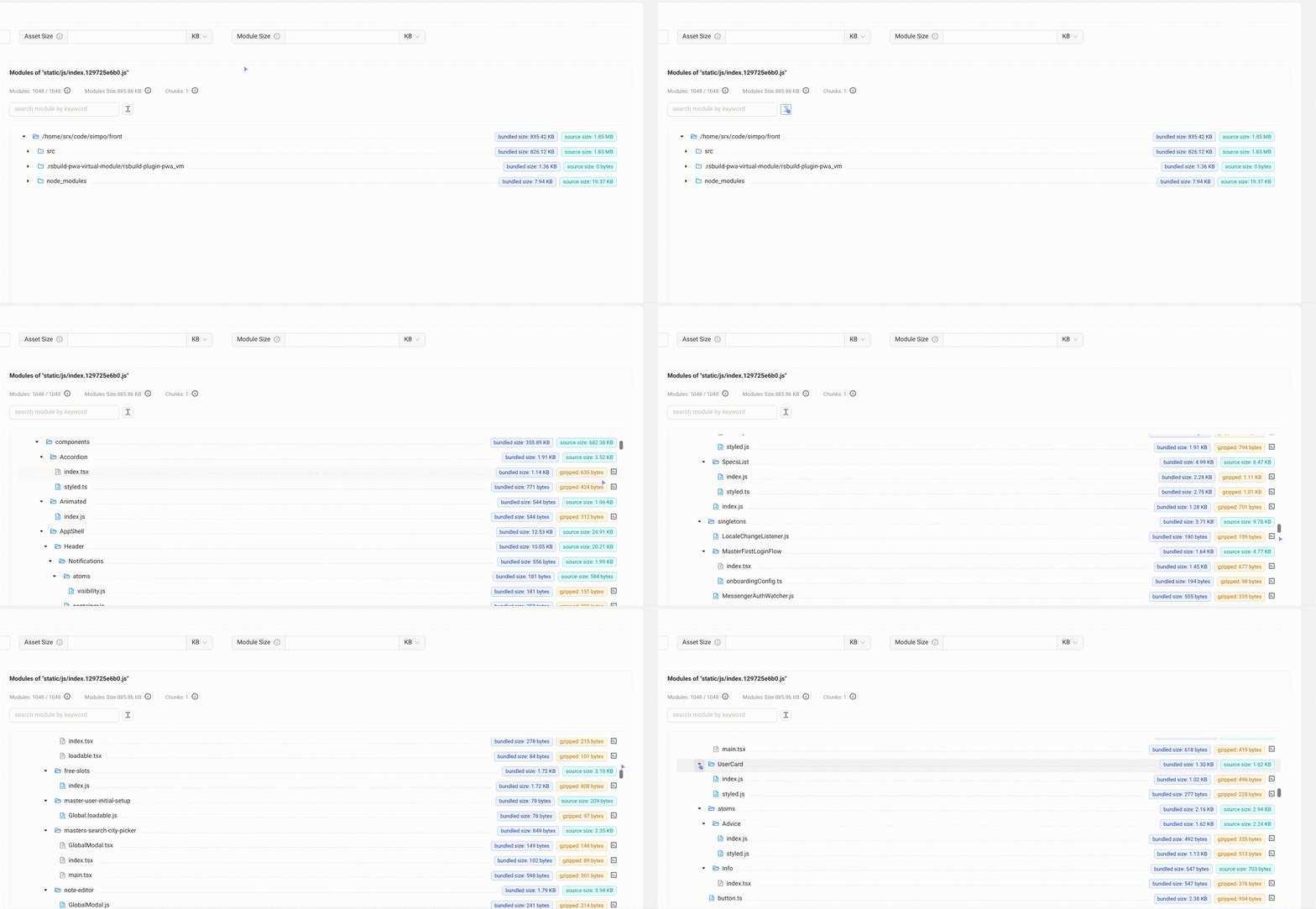
In Tree Graph, expanding directories and scrolling through assets is smoother, even with thousands of modules. Virtual scrolling and render caching limit rendering to nodes near the viewport, while reduced tooltip and popover overhead helps keep scrolling responsive as you find modules and inspect their details:
Before
After
Treemap makes it easier to move from the overall size distribution to individual modules: click to zoom into an area of interest, then use the breadcrumbs to return to a broader view. For large assets, enter full-screen mode or collapse the sidebar to give the chart more room. The layout also adapts to the window size.
You can filter for JavaScript assets to focus on the relevant code, and use the consistent Stat, Parsed, and Gzipped size metrics to see how much space each module contributes under different size measurements.
How to upgrade
When upgrading to Rsdoctor 2.0, check these core changes:
- Runtime requirements: Node.js
^20.19.0 || >=22.12.0and Rspack 2.0 or later are required. - Package name and module format: Replace
@rsdoctor/rspack-pluginwith@rsdoctor/coreand use ESM imports. - AI workflow: Migrate from the removed
@rsdoctor/mcp-serverto Agent CLI. - Rsdoctor 2.0 no longer supports webpack. Projects using webpack can continue using Rsdoctor 1.x.
See the Rsdoctor 2.0 migration guide for the complete upgrade steps, configuration changes, and verification instructions. The guide also includes a migration skill that lets an agent help with the upgrade.
Try Rsdoctor 2.0 and share your feedback. See the release page for all changes.
Acknowledgements
Thank you to everyone who contributed and shared feedback. Your contributions helped shape Rsdoctor 2.0 ❤️