

Introduction
Rsdoctor is a build analysis tool for the Rspack ecosystem. It visualizes the build process and output to help developers investigate build issues and identify performance bottlenecks. It also provides build data to agents for automated diagnosis and optimization of JavaScript programs.
If you use webpack, you can use Rsdoctor 1.x or follow the guide to migrate to Rspack.
🔥 Features
- Agent-Driven Analysis: Provides build data to agents for automated diagnosis and optimization of JavaScript programs
- Compilation Visualization: Visualize the compilation process and timing to troubleshoot build issues and identify performance bottlenecks
- Comprehensive Analysis: Analyze build output, inspect the build process, and run diagnostic checks:
- Output Analysis: Inspect assets, output sizes, and module dependencies
- Build Process Analysis: Inspect Loader and Plugin execution and module resolution
- Diagnostic Checks: Detect duplicate packages and check ECMAScript syntax versions to identify potential build issues
🛠️ Introduction
⭐️ Overview
- The overview page (i.e., the home page) displays project configuration, diagnostic information, compilation information, and artifact status.
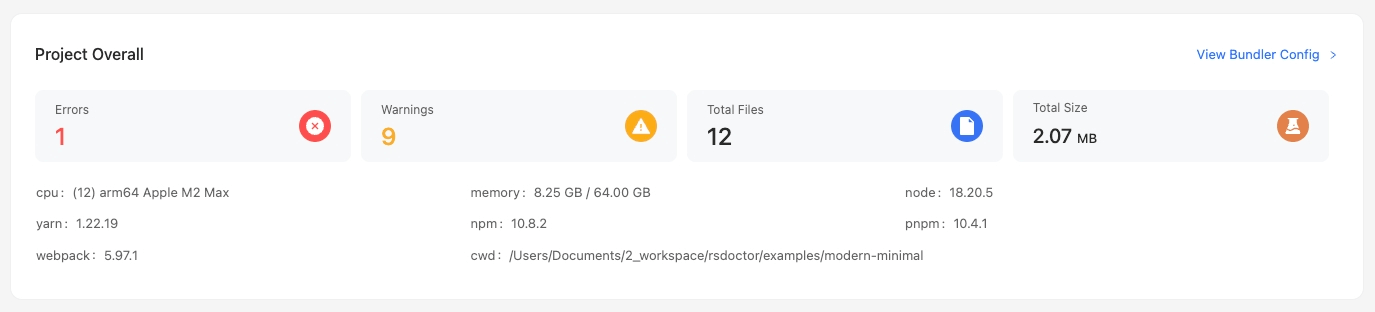
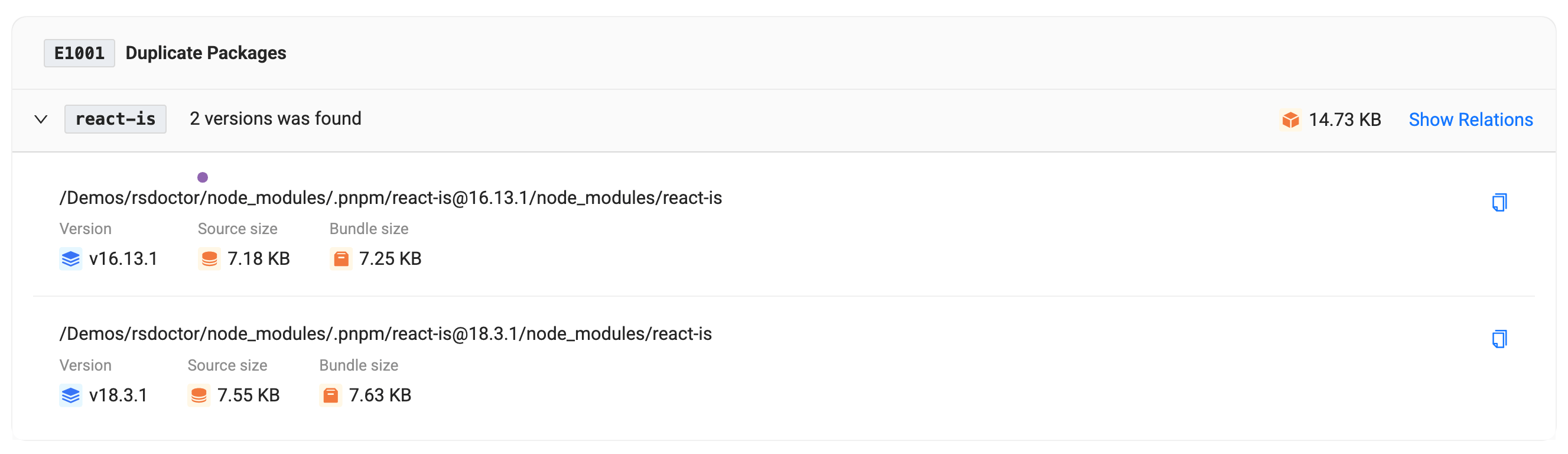
- In addition to the project overview, we also provide diagnostic modules, including compilation diagnostics and duplicate package diagnostics. If your compilation and artifacts match the diagnostic rules we defined, the corresponding warning modules will appear on the tool's home page, where you can view the detailed reference paths of duplicate packages:
⭐️ Compilation analysis
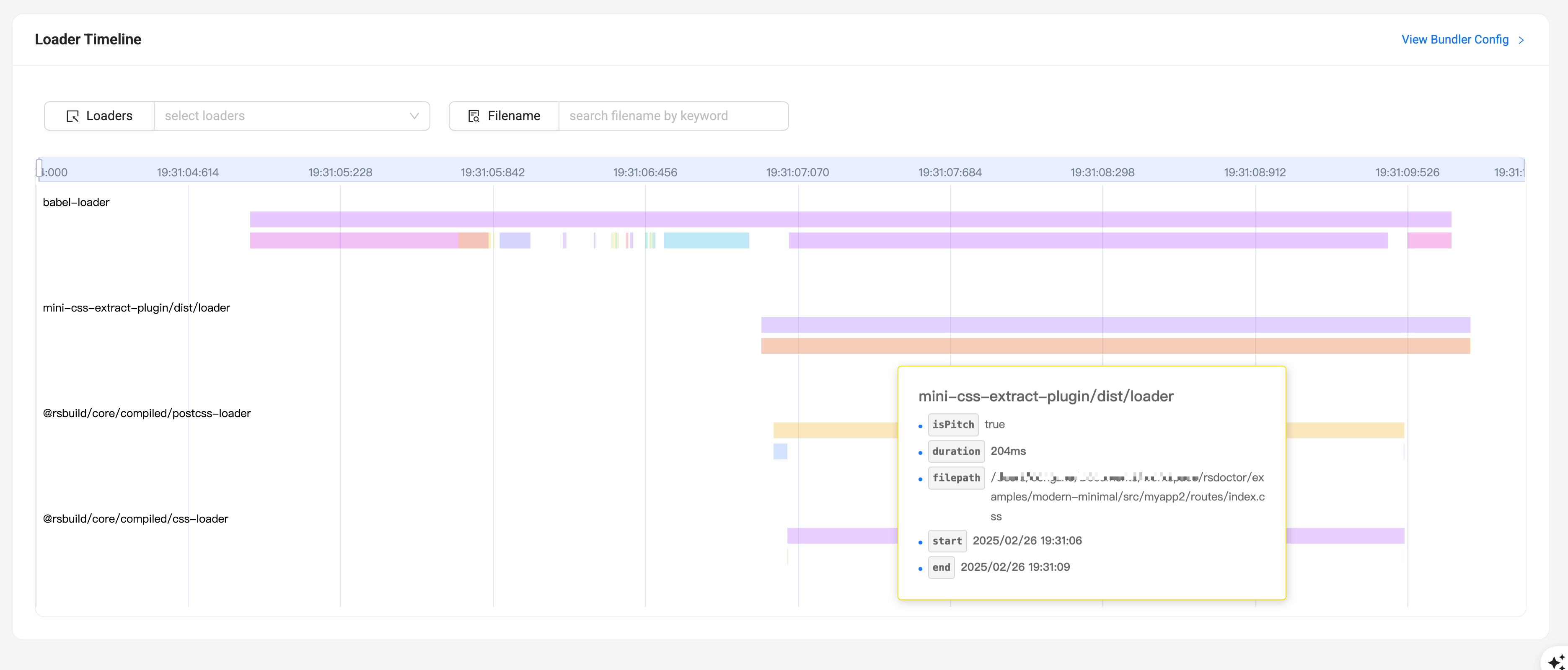
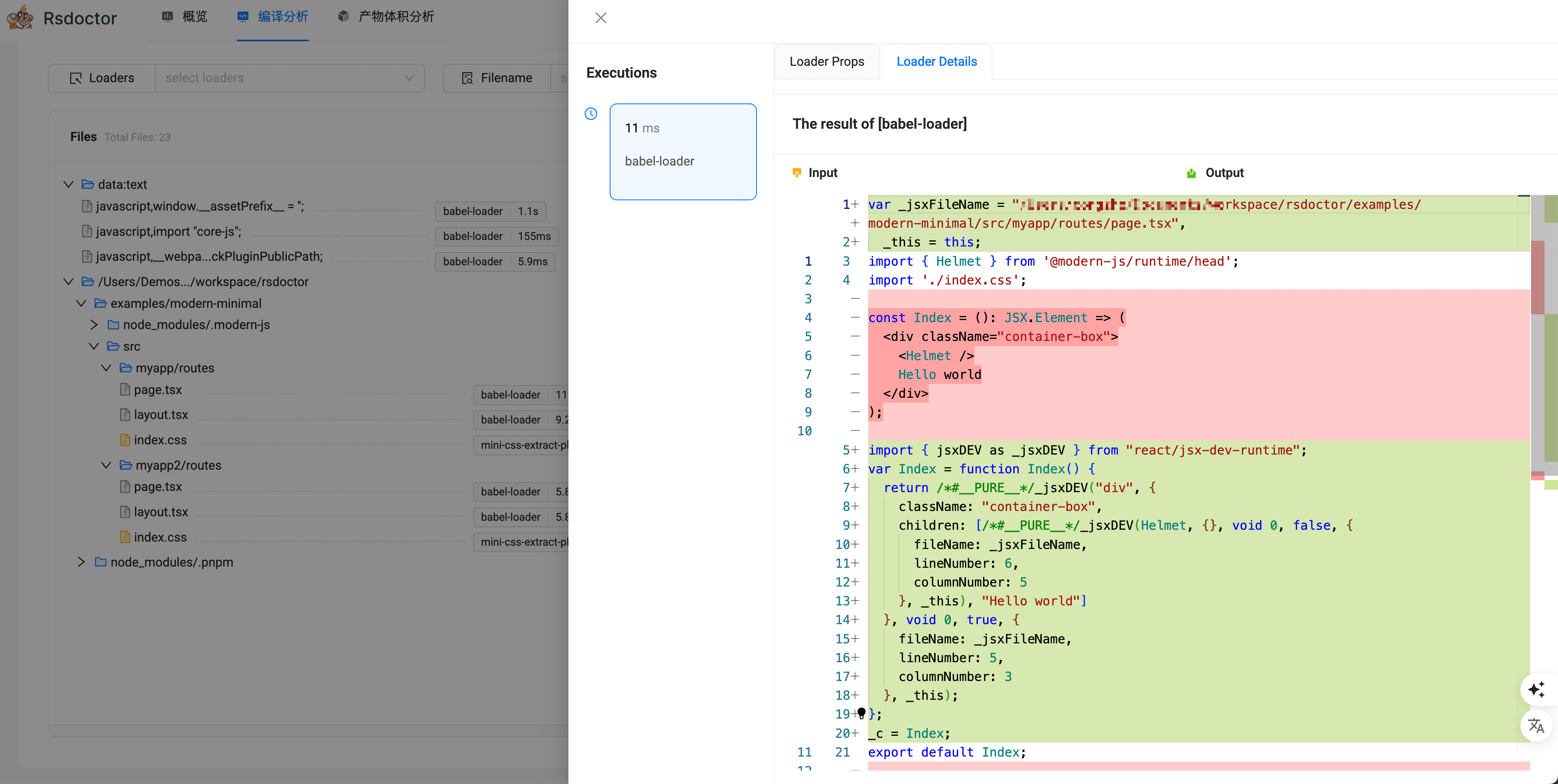
Provides corresponding data and analysis functions for Loaders, Plugins, and Module Resolve to help you analyze problems in the compilation process.
Loader analysis
- This module analyzes input and output, estimated execution time, and parameters for Rspack loaders.
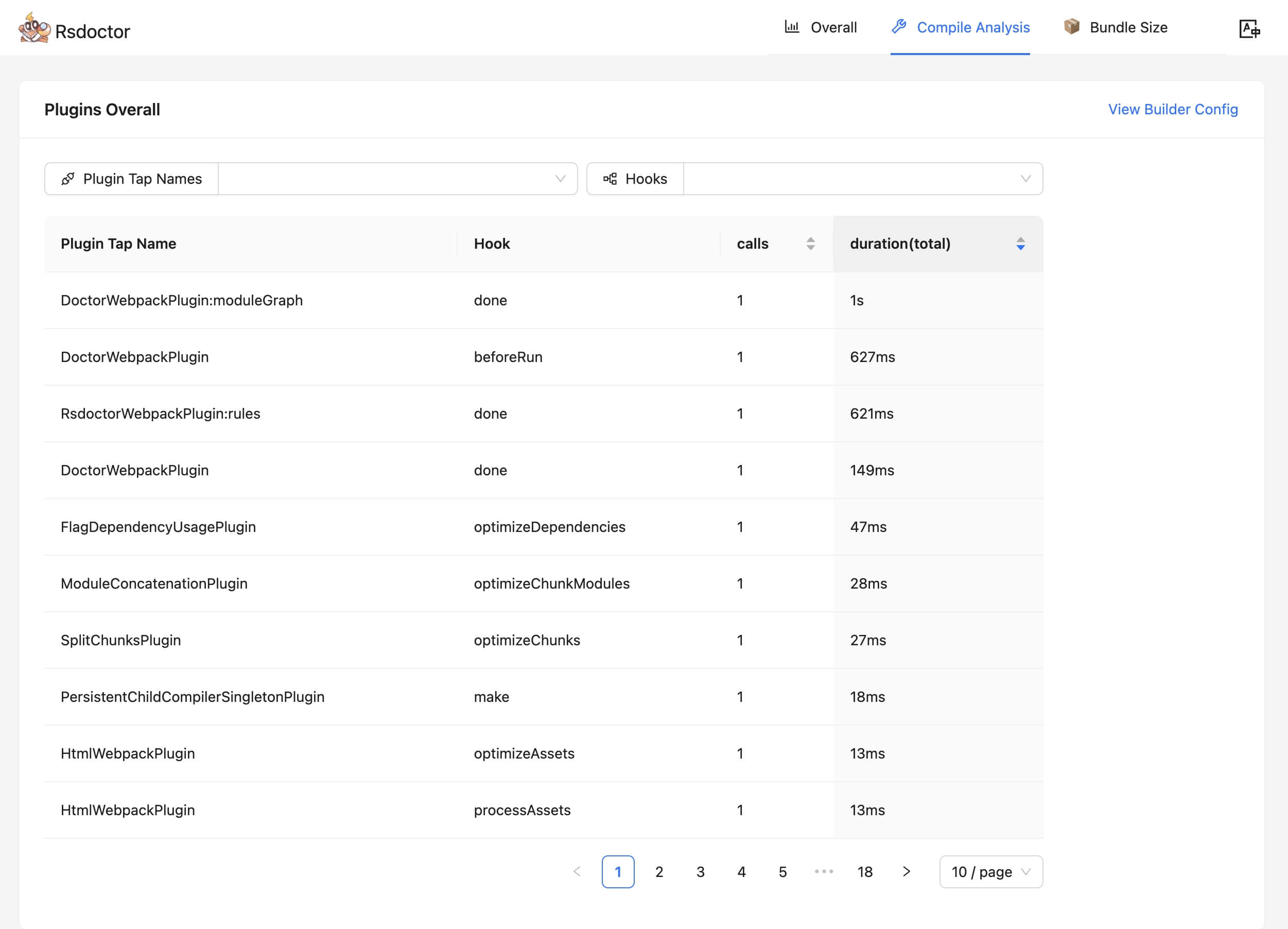
Plugin analysis
- This module mainly intercepts and collects data information such as the number of calls and estimated time consumption of Plugins.
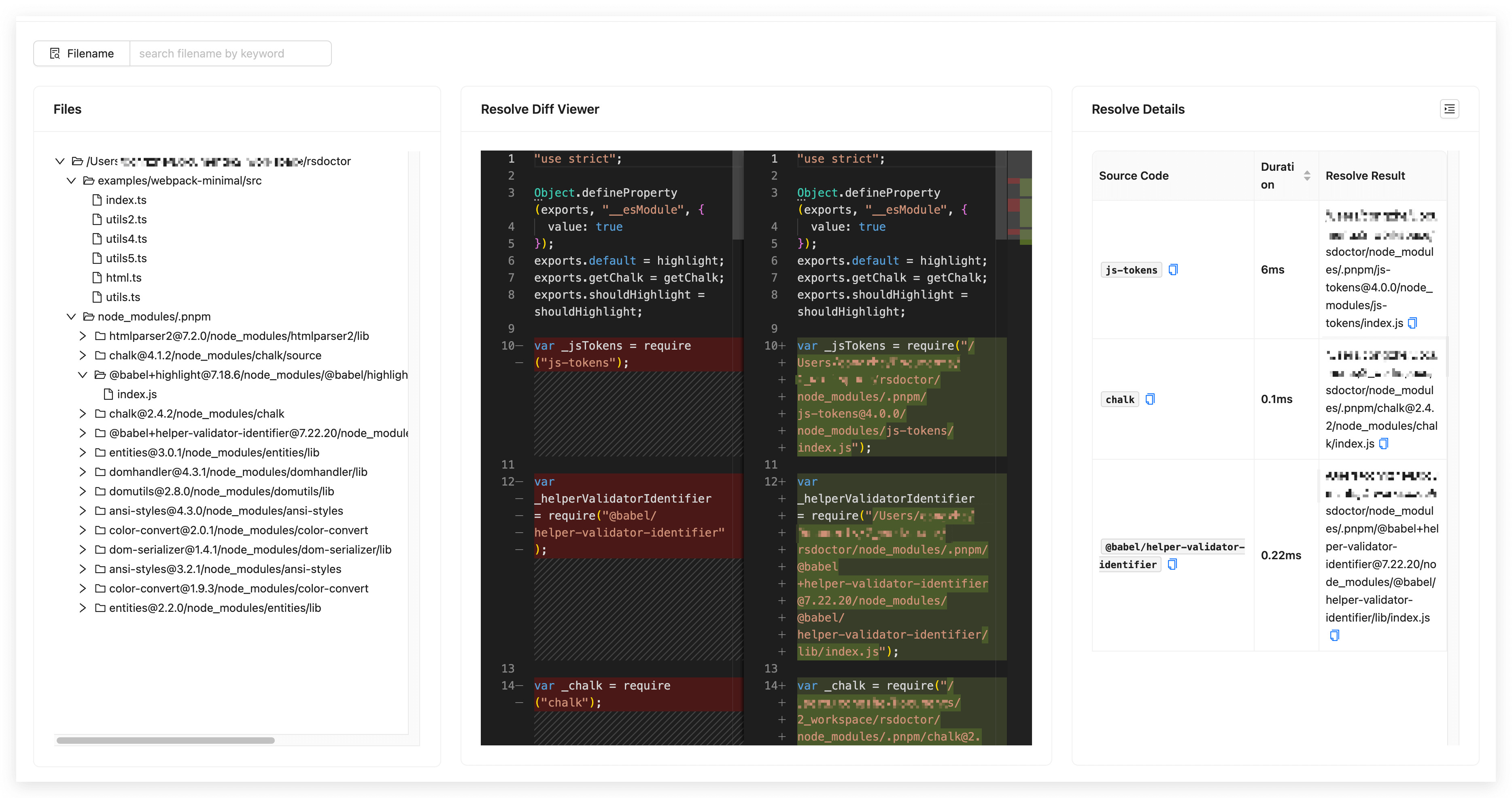
Resolve analysis
- This module mainly provides path data and estimated time consumption for module resolution in a single file within the project. Rspack supports enabling this module through
features.
⭐️ Product analysis
-
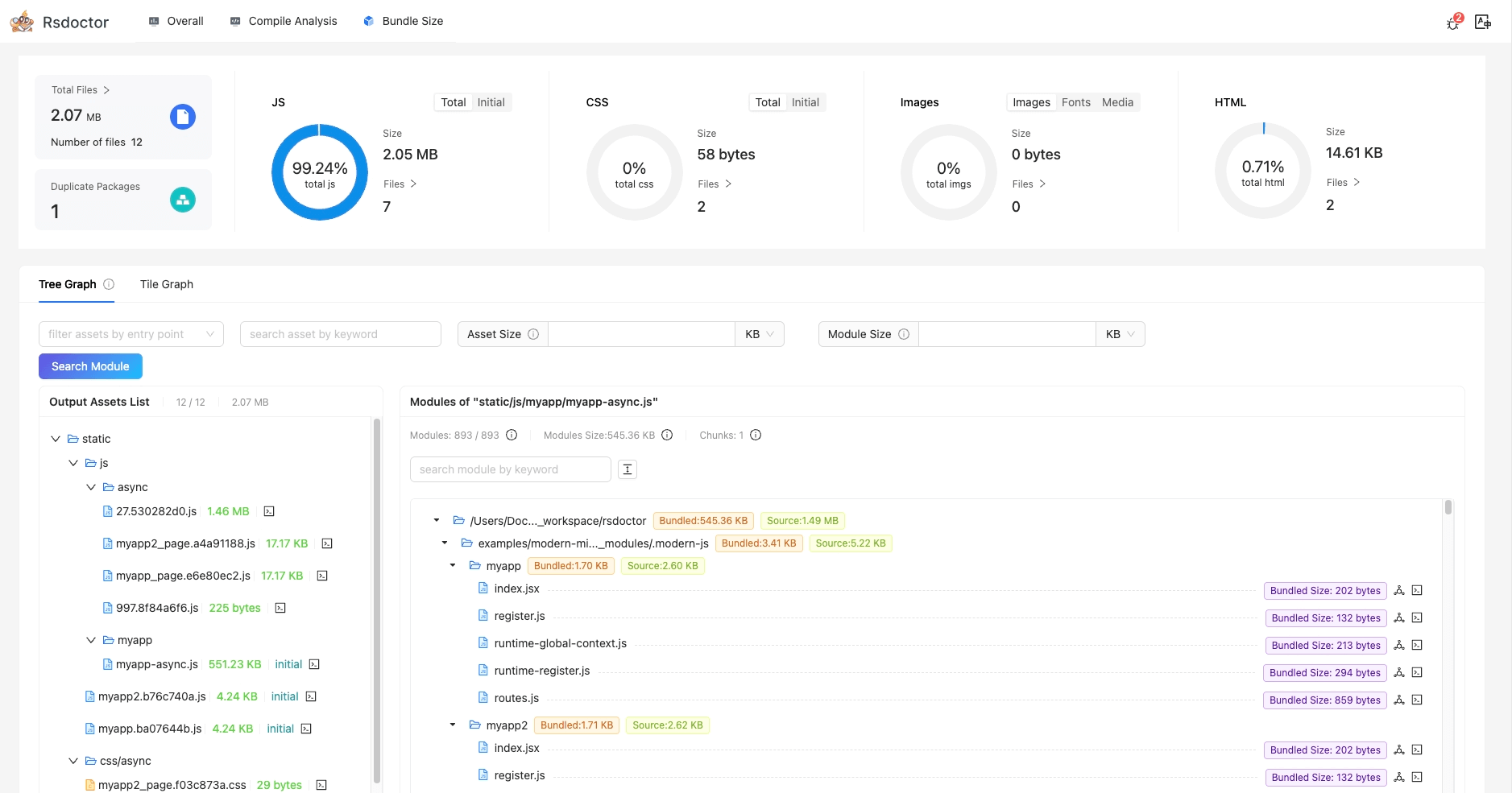
In the Bundle Size page, we can see an overview of the product data information of the current project, as well as analyze the size and reasons for duplicate package imports.
-
In addition, we can also use the Bundle Analysis page to further analyze the relationship between the product and module in the current product, size data and other information, as well as the reasons for module introduction.
⭐️ Bundle diff
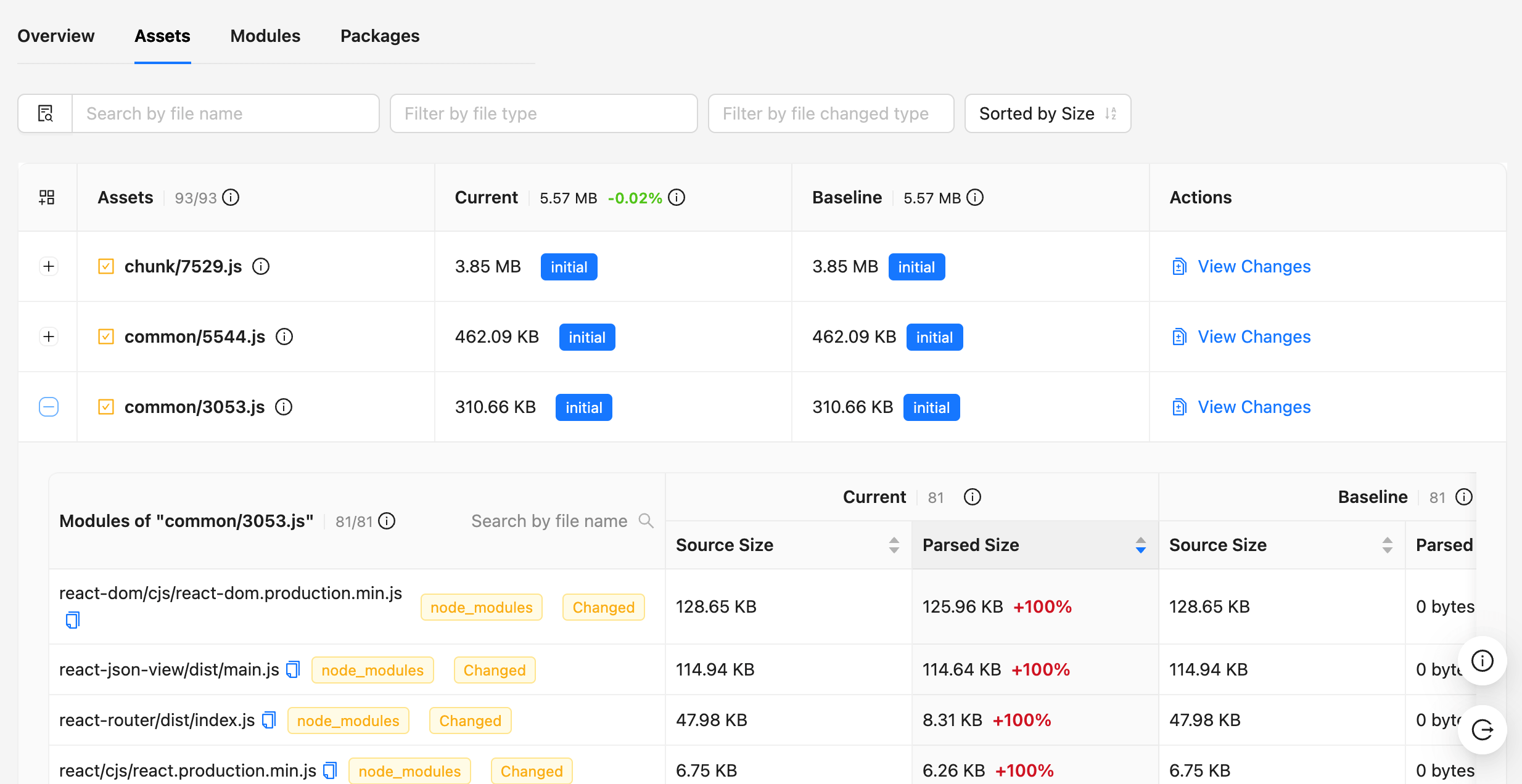
Using the Bundle Diff function provided by Rsdoctor, you can see the changes in resource size, duplicate packages, Packages, and other data in the artifacts, as well as the size of module files and code changes in each resource.
For more information, refer to the Bundle Diff documentation.
 |  |
|---|
🧑💻 Community
Welcome to join our Discord channel! The Rstack team and users are active there, and we're always looking for contributions.
You can also join the Feishu Group to chat with everyone.