

Built-in rules
Introduction
Please refer to the Linter Type in this document for the type definition of linter.
[E1001] Duplicate packages
Rule details
-
The
Duplicate Packagescard displays the number of duplicate third-party packages in the project. Clicking the image allows you to view the specific details of the duplicate third-party packages. Note: The third-party packages referred to here are all bundled third-party packages.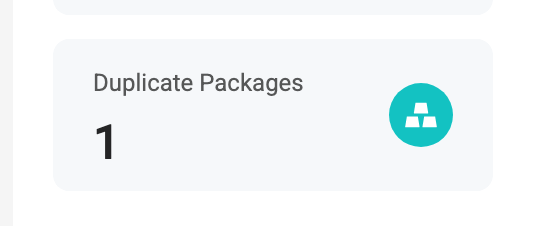
-
Duplicate Package Warning Card
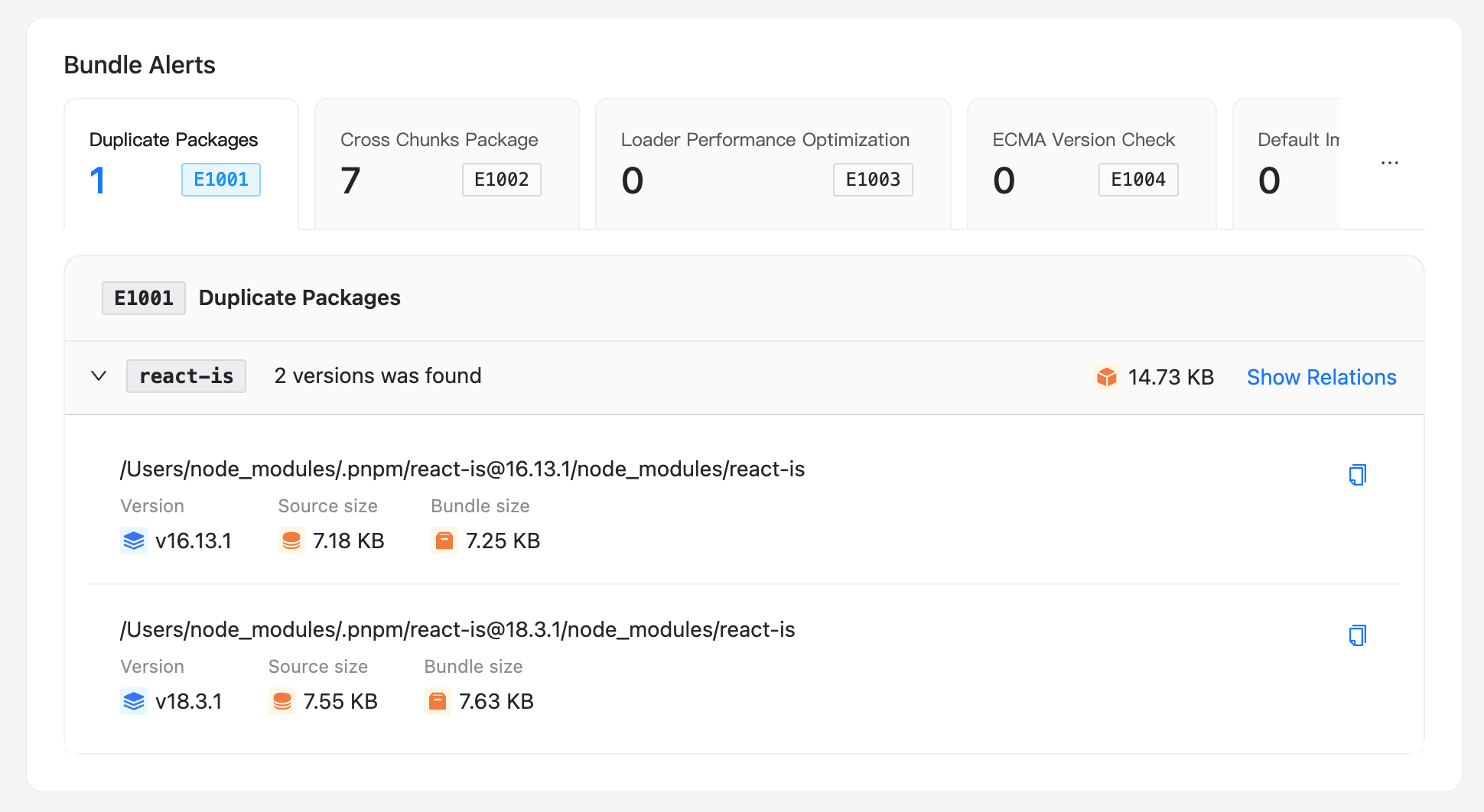
-
Clicking the icon to expand the duplicate package details allows you to see: the name, version, size, and reference files of the duplicate package.
- Clicking the 「Show Relations」 on the far right can view the specific reference chain and the corresponding reference file code position of this third-party package.
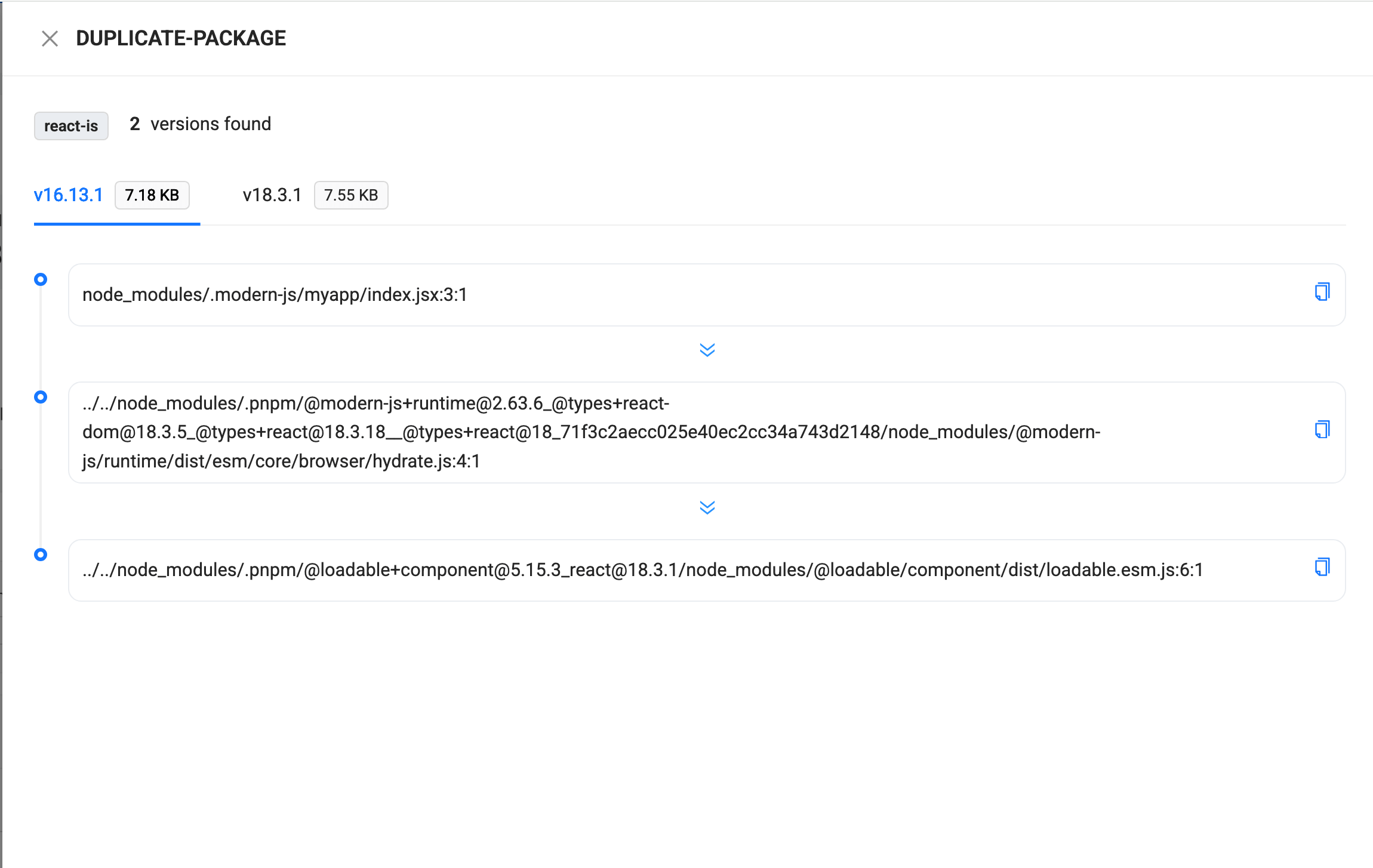
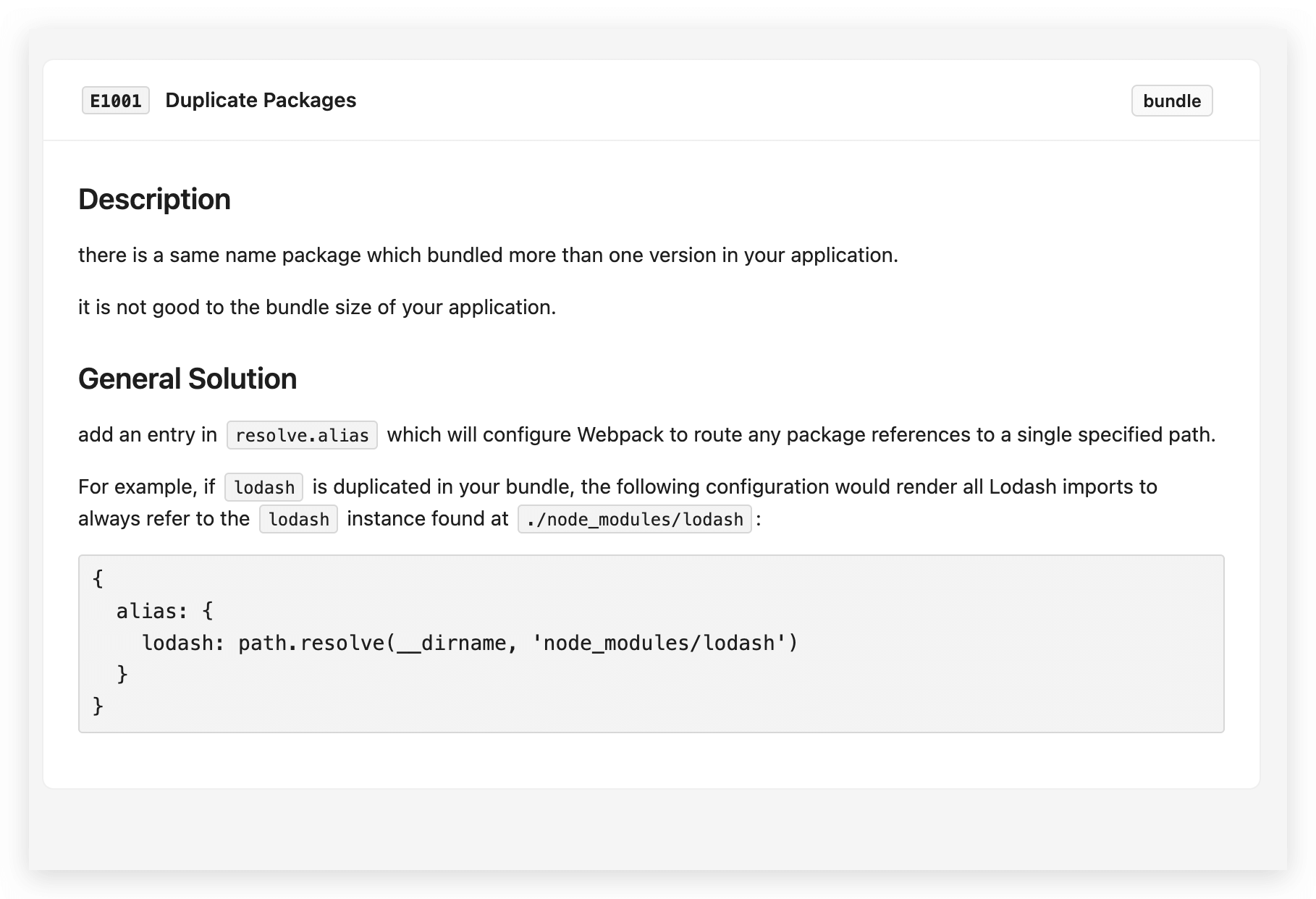
- Clicking the 「!(exclamation mark)」 icon on the far right can view the specific explanation of the rule for the duplicate third-party package.
Configuration
- Configuration Example:
Type
- ignore: Configures the packages to be ignored.
- checkVersion: Refers to the maximum version level to be checked, for example: if set to
minor, then the duplicate package will no longer check themajorlevel differences. Default ismajor.
Duplicate package optimization problem
Please refer to the Duplicate Package Optimization Solution.
Clicking 「More」 can view the corresponding rule explanation.
[E1002] Cross chunks package
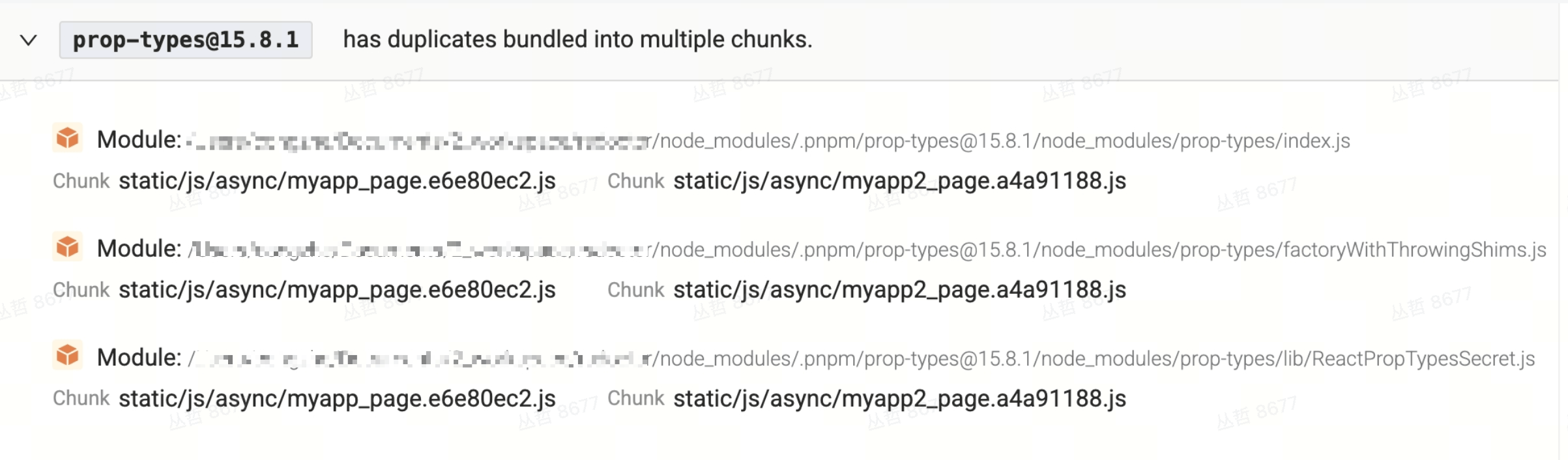
The cross chunks duplicate package rule can scan duplicate packages in different chunks. These duplicate packages may also lead to redundant code in the build artifacts, depending on the business logic and the size of the redundant code.
- Display
- Module refers to the module that is repeatedly packaged in multiple chunks.
- Chunks are the build artifacts that are repeatedly packaged.
Solution
Please refer to [E1002] Cross Chunks Packages
[E1003] Loader performance optimization
This module allows you to visually see some warning information about our project's compilation, which can help us further optimize the project's compilation performance.
Solution
Please refer to [E1003] Loader Performance Optimization
Configuration type
- ignore: Can include strings or regular expressions, used to specify the loaders to be ignored.
- threshold: Represents the total time threshold for the loader, in milliseconds. If the loader's execution time exceeds this threshold, it may trigger warnings or errors. The default value is 5000 milliseconds.
- extensions: Strings or regular expressions, used to specify the file extensions that need to be matched in rule checks. By default, it includes common file types such as js, css, jpg, jpeg, png, gif, webp, and svg.
[E1004] ECMA version check
This rule is used to detect incompatible advanced syntax. When scanning the rule, the configuration of browserslist is prioritized; if browserslist is not configured, manual detection is required, as shown below:
Type definitions
For more ECMA Version Check configuration options, please refer to ECMA Version Check Options
[E1005] Default import check
Typically, Rspack automatically supports different types of modules, but in some cases, compatibility operations may fail. For example, when using Default Import to import a cjs module, if the module does not have a compatible statement (such as exports.default), issues may arise.
Solution
Please refer to [E1005] Default Import Check
Configuration
- ignore:Configure to ignore some imported files.
[E1006] Module Mixed Chunks
When a module is included in both initial chunks and async chunks, the same module code is bundled into multiple chunks, increasing output size and potentially affecting first-screen load and cache efficiency.
- Initial chunks: Chunks loaded with the main entry (e.g. entry points, synchronous
importin the main bundle). - Async chunks: Chunks loaded on demand via dynamic
import()or similar.
Rule details
- In the 「Module Mixed Chunks」 tab of Bundle Alerts, all modules that appear in both initial and async chunks are listed.
- Each entry shows: module path, Initial Chunks list, and Async Chunks list, so you can locate duplicated modules.
Common causes
- Same module referenced in two ways: The module is both synchronously
imported in the main bundle or entry, and dynamicallyimport()ed somewhere else, so the bundler emits it in both initial and async chunks. - A file is both an entry and an async chunk: For example, a utility module is configured as an entry and also
import()ed in app code, so it appears in the entry’s initial chunk and in a dynamically loaded async chunk. - splitChunks overlapping with entry: A path is split into an async chunk via
splitChunks/chunkSplit, but that path is also an entry or a main-bundle dependency, leading to mixed chunk types.
Solutions and recommendations
-
Use a single import style
Prefer one way to reference a module: either all synchronous imports (in initial) or all dynamicimport()(in async). Avoid having the same file both synchronously imported in the main bundle and dynamically imported elsewhere. -
Review entry vs dynamic loading
If a file is both an entry and part of an async chunk, either remove one of those usages or treat the file as a shared dependency and extract it into a single shared chunk via build config, so both initial and async chunks reference it instead of duplicating it. -
Adjust splitChunks / chunkSplit
Check rules for that module path inoptimization.splitChunks(Rspack/Webpack) orperformance.chunkSplit(Rsbuild), and avoid the same module being split into both initial and async chunks. Usechunks: 'async'orchunks: 'initial'where appropriate, or control which chunk type it goes into viacacheGroupsandtest/chunks. -
Trace dependencies
From the reported module path and chunk list, search the codebase for references to that module, distinguish sync vs dynamic imports, then converge to a single chunk type or extract a common chunk as above.
Configuration
- ignore: Module path patterns to ignore (string match: if the module path contains any of these strings, it is ignored).
Configuration example:
[E1007] Tree Shaking Side Effects Only
Rule key: tree-shaking-side-effects-only
This rule detects modules that are pulled in and bundled solely due to side effects. This is often caused by unintended tree-shaking failures (e.g. missing or incorrect "sideEffects" field in package.json, or non-tree-shakeable import patterns), resulting in the entire module being bundled even though none of its exports are used.
Common causes
- The package's
package.jsonis missing"sideEffects": false(or incorrectly set totrue), preventing the bundler from pruning unused exports. - An import statement like
import 'some-module'orimport './styles.css'is being treated as a side-effect-only import, but the intended use was to consume exports. - Barrel files (index files that re-export many things) cause the whole module to be kept alive when only a side-effect import is present.
Solutions
- Audit import statements: Make sure you are actually importing and using named exports from this module. Replace bare side-effect imports with explicit named imports when you intend to use the module's exports.
- Set
"sideEffects"correctly: In the module'spackage.json, set"sideEffects": falseif the module has no global side effects, so the bundler can safely tree-shake unused exports. - Avoid unintended side-effect imports: Remove or convert
import 'module'patterns to explicitimport { foo } from 'module'patterns where the exports are needed.
Configuration
- ignore: Module path patterns to ignore (string match: if the module path contains any of these strings, it is ignored).
- include: Module path patterns to include when the module is under
node_modules(by default, modules innode_modulesare skipped).
Configuration example:
[E1008] CJS Require Cannot Tree-Shake
Rule key: cjs-require
This rule warns when code uses a bare require() call (e.g. const mod = require('module')) to import an entire module without statically accessing its exports. This pattern prevents tree-shaking because the bundler cannot statically determine which exports are actually used, resulting in the entire module being bundled and increasing output size.
Common causes
- Using
const mod = require('module')instead ofconst { foo } = require('module'). - Dynamically composing the require argument (e.g.
require('module/' + name)), which the bundler cannot statically analyze. - Mixing
require()inside ESM files, preventing the bundler from tree-shaking the module.
Solutions
- Switch to destructured require: Replace
const mod = require('module')withconst { foo, bar } = require('module')so the bundler can statically analyze which exports are used. - Migrate to ESM: Prefer static
import { foo } from 'module'syntax to take full advantage of bundler tree-shaking. - Avoid dynamic require: If dynamic loading is needed, replace dynamic
require()with dynamicimport().
Configuration
- ignore: Module path patterns to ignore (substring match applied to both issuer and required module paths).
Configuration example:
[E1009] ESM Import Resolved to CJS
Rule key: esm-resolved-to-cjs
This rule warns when a package provides both ESM and CJS formats (via the module field or exports["."]["import"] in package.json), but the bundler resolves an ESM import statement to the CJS entry instead. This prevents tree-shaking and leads to larger bundle sizes.
Common causes
- The
exportsfield inpackage.jsonis misconfigured, so the"import"condition does not map to the correct ESM entry. - An older bundler version that does not support
exportsconditional exports falls back to the CJS entry. - The package's
modulefield orexports["import"]path is incorrect or points to a non-existent file. - The consumer's build config does not have
mainFields: ['module', ...]or does not correctly handleexportsconditions.
Solutions
- Check the package's
exportsconfig: Ensure the target package'sexportsfield correctly defines the"import"condition pointing to a valid ESM entry file. - Upgrade the bundler or plugins: Make sure you are using a bundler version that supports
exportsconditional exports (e.g. Rspack, Webpack 5+). - Report to the package author: If the problem is a misconfigured
package.jsonin a third-party package, file an issue with the package author. - Temporarily ignore: If the package cannot be fixed for now, use the
ignoreoption to skip the check for that package.
Configuration
- ignore: Package name patterns to ignore (substring match against the import request string).
Configuration example:
Linter type
- The type definition for the
linterfield is as follows:
If you want to disable a rule, you can set SeverityInput to off, as shown in the following example: