
Bundle diff
Version: 0.4.5We provide the Bundle Diff feature, which allows you to compare and analyze the changes between two build bundles.
Currently, we offer the following usage methods:
- Open the report locally with CLI
- Generate a JSON report with CLI
- Online upload analysis (planned support)
Usage
Open the report locally with CLI
First, you need to prepare 2 copies of the manifest.json produced by Rsdoctor. Then, install @rsdoctor/cli and use the CLI command bundle-diff. For detailed command usage, see command usage tutorial.
Generate a JSON report with CLI
Use the --json [path] option to generate a structured diff report without starting the report server or opening the browser:
If you omit the path after --json, the report is saved as rsdoctor-diff.json. The report contains assets, modules, and packages diff data, which can be consumed in CI workflows or used to generate pull request comments.
Online upload analysis (planned support)
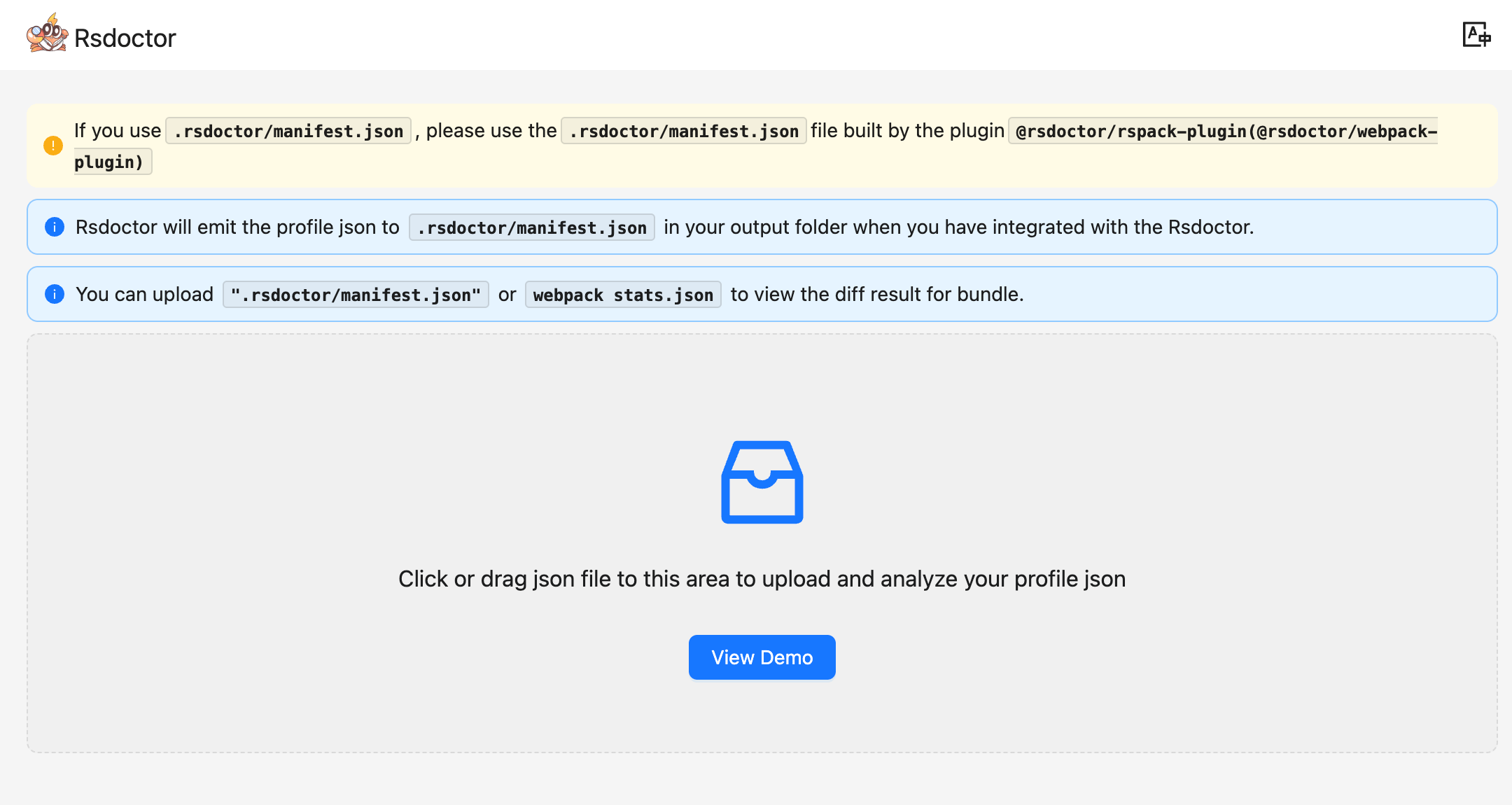
We plan to provide an online page for Bundle Diff analysis. You can upload 2 copies of the manifest.json produced by Rsdoctor on the page, one as the Baseline and the other as the Current. By clicking Start Diff, you can enter our analysis page.
User guide
Feature overview
In the Bundle Diff module, you can see the comparison of information between the two build bundles, including:
- total size changes
- size changes of different file types
- initial bundles size changes
- changes in the number of duplicate packages
- changes in the number of NPM Packages, and more.
In addition to the above data overview, we can also perform more in-depth data query and analysis through the details list module at the bottom of the page.
Terminology
Instructions
Dashboard
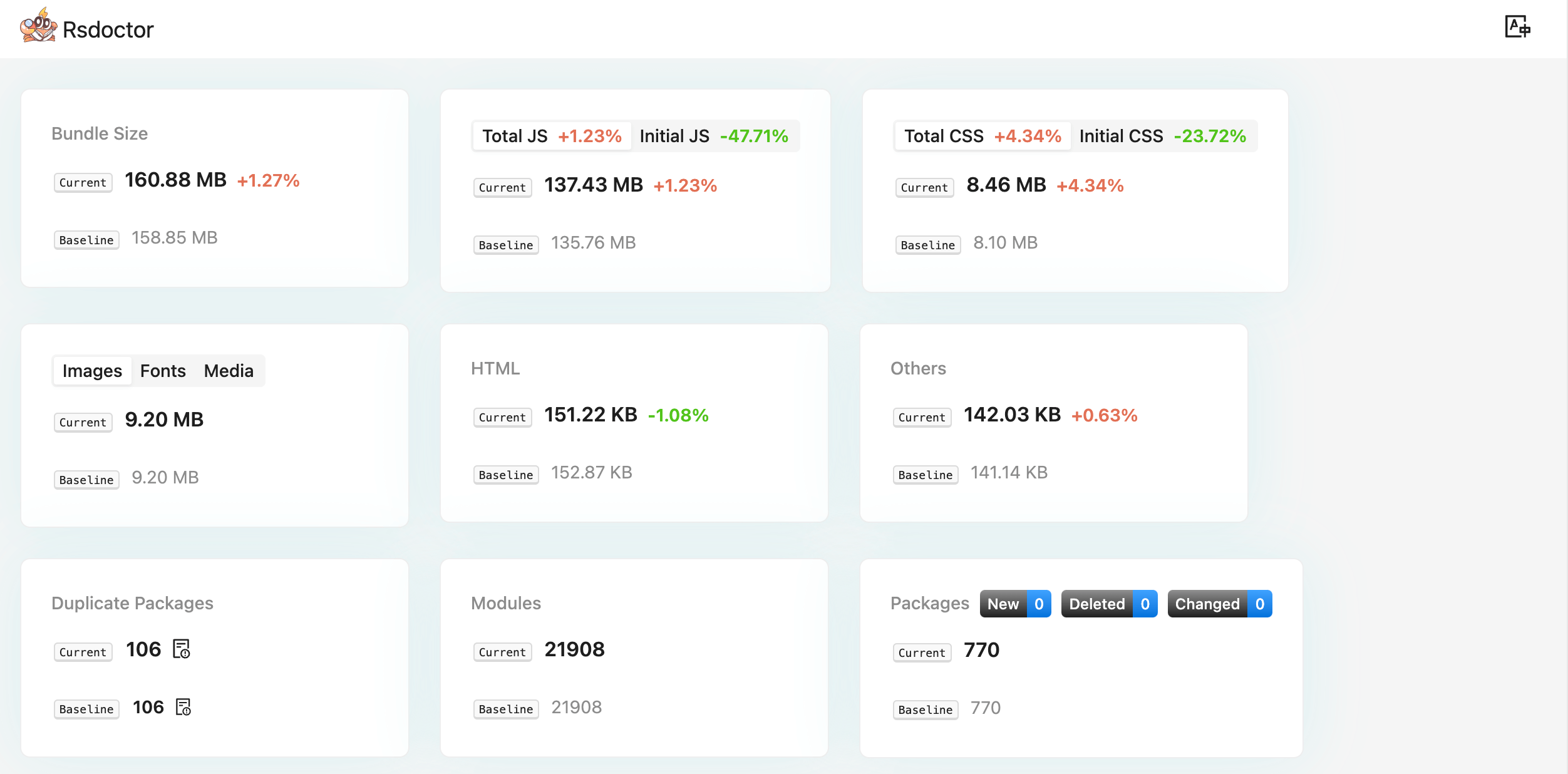
At the top of the page, we can see many data points composed of different cards, including the following information:
- Bundle Size includes the total size of the two builds and the change rate.
- Total JS | Initial JS includes the total size and change rate of all JS and first screen JS in the two builds.
- Total CSS | Initial CSS includes the total size and change rate of all CSS and first screen CSS in the two builds.
- Image | Font | Media includes the size and change rate of image, font, and media files.
- HTML includes the size and change rate of HTML files.
- Others represents the size and change rate of all other files not mentioned above.
- Duplicate Package represents the number of duplicate packages in the two builds. Clicking on it allows you to view the details of the duplicate packages.
- Modules represents the number of modules in the two builds.
- Packages represents the total number of NPM Packages in the two builds, as well as the number of new, deleted, and changed packages.
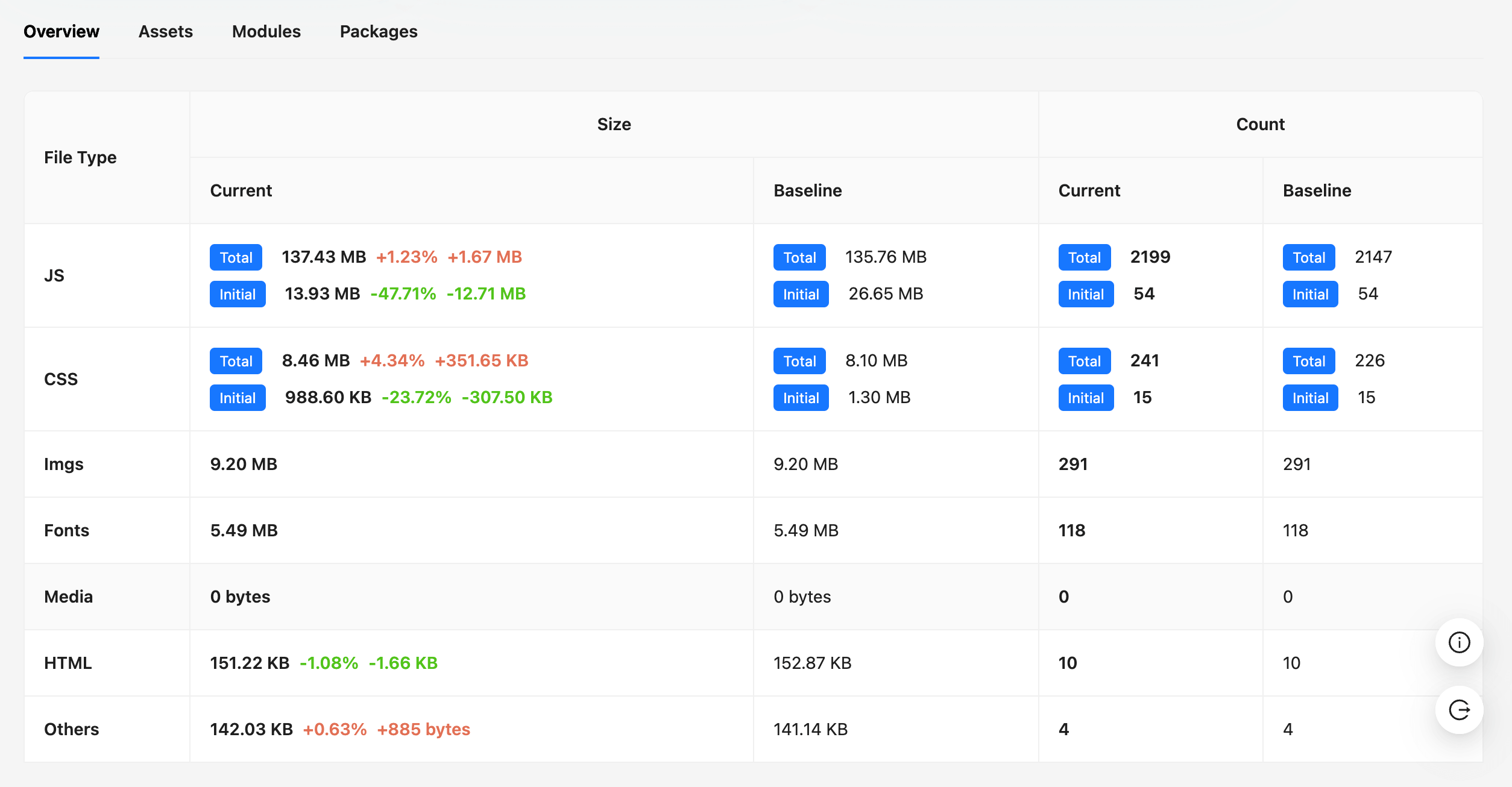
Overview
In the Overview module, we can see the size, quantity, and change rate of different file types.
Assets
When displaying Asset names, Rsdoctor tries to remove the hash values from the build file names to facilitate comparison.
In the Assets module, we can see the size and change rate of the build files.
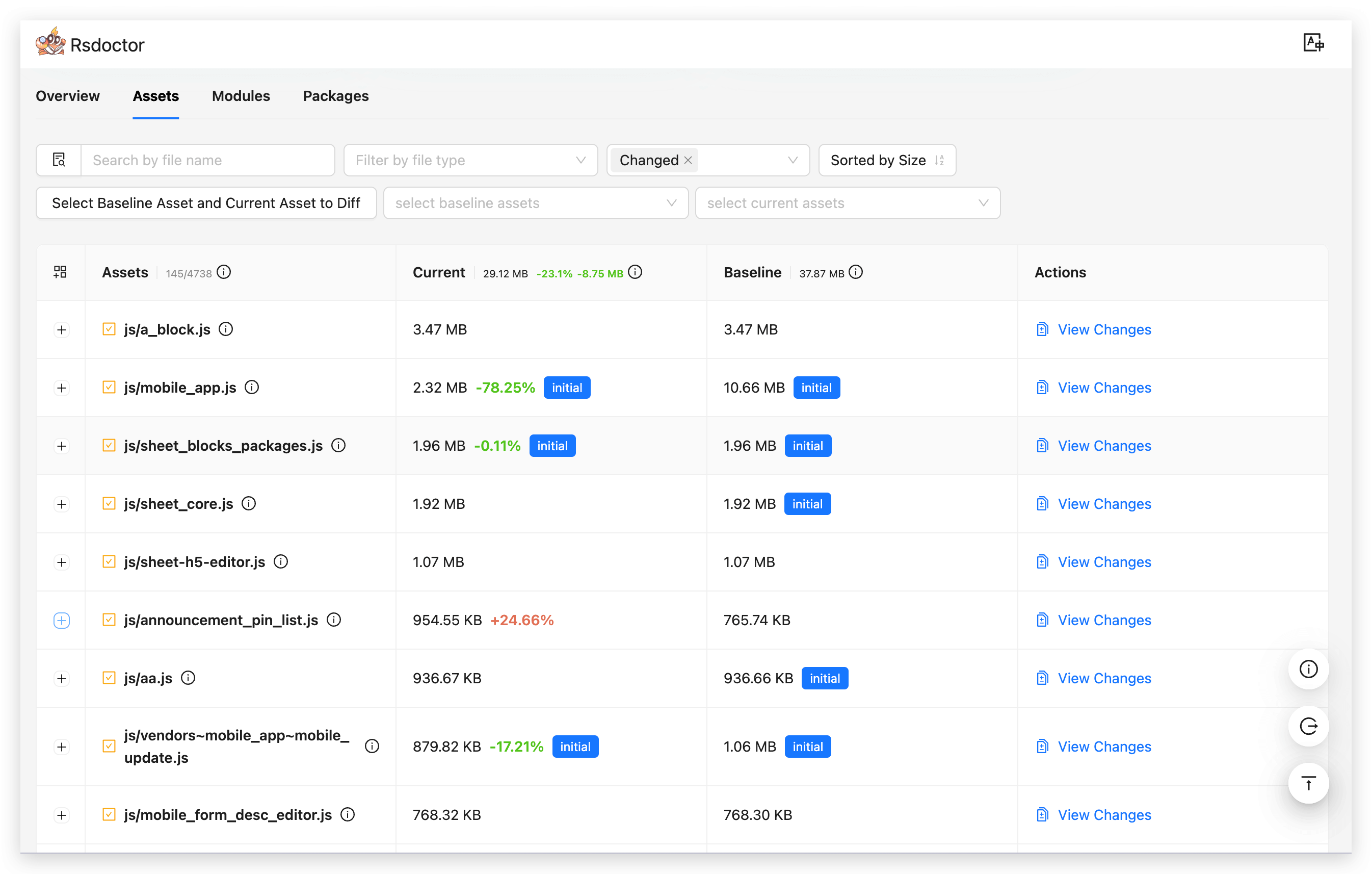
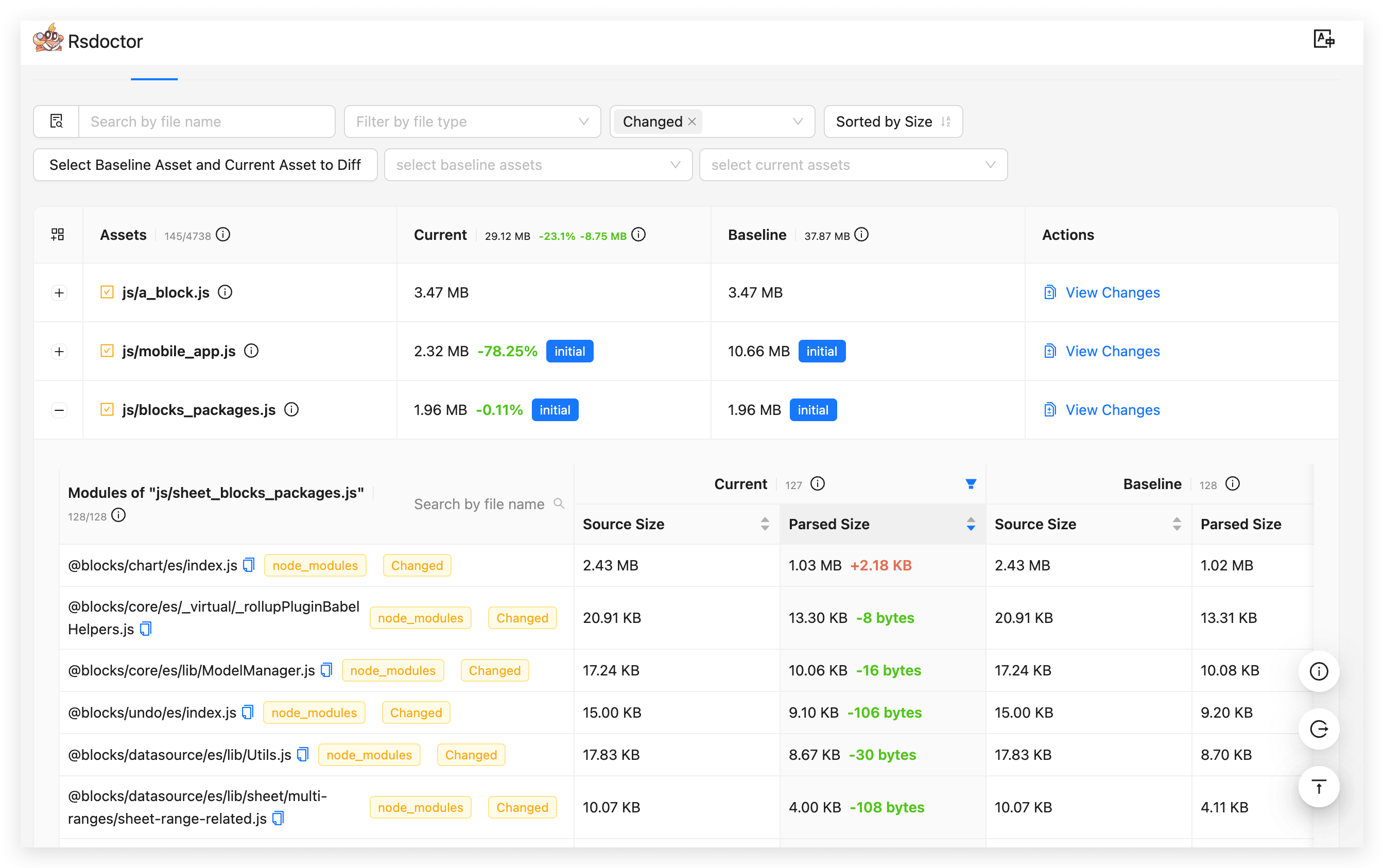
By clicking the "+" button in front of the list items, you can expand to see the list of modules contained in the corresponding Asset (i.e., Modules of "***"), which shows the size and change rate of the modules.
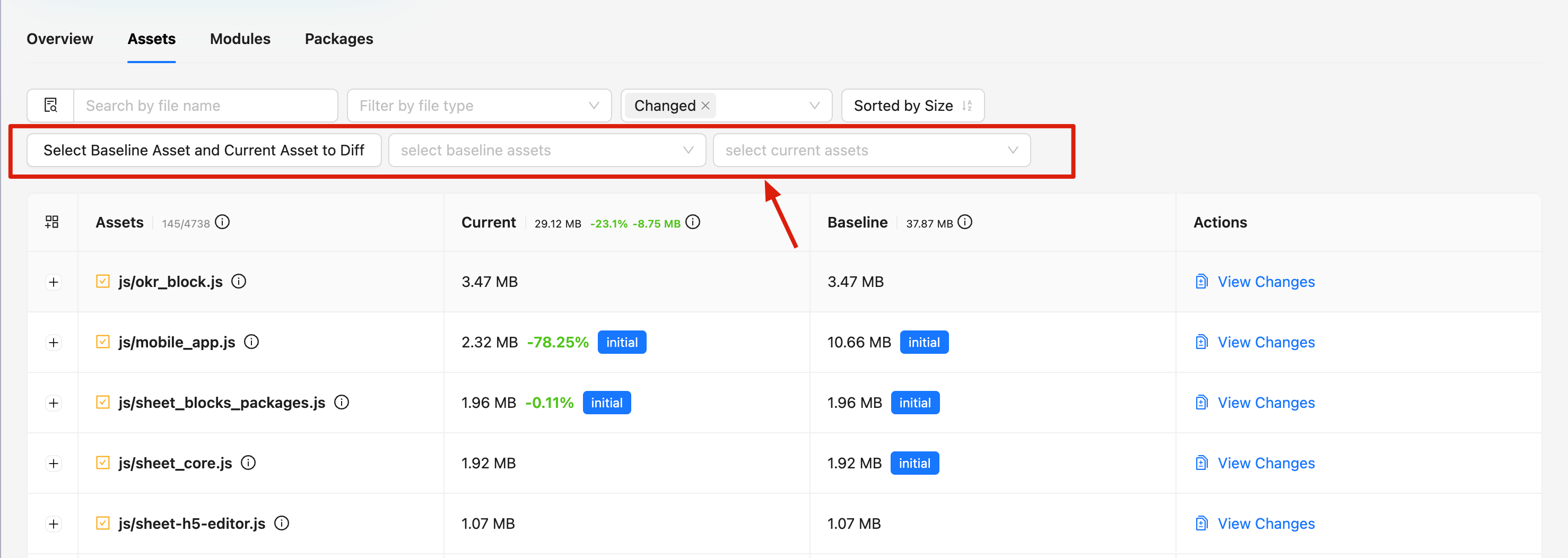
Rsdoctor is compatible with the situation where Assets files have the same name but different hashes. However, for Assets with different names generated by splitting packages, Rsdoctor cannot identify their comparison objects.
Therefore, the Rsdoctor Assets module also provides a select component, allowing you to manually select the Assets resources you want to compare.
Modules
In the Modules module, we can see the name, size, and change rate of all modules contained in the two builds.
The New / Deleted / Changed tags indicate whether the module is newly added, deleted, or just changed in the Current build.
The node_modules tag indicates that the module's path contains /node_modules/.
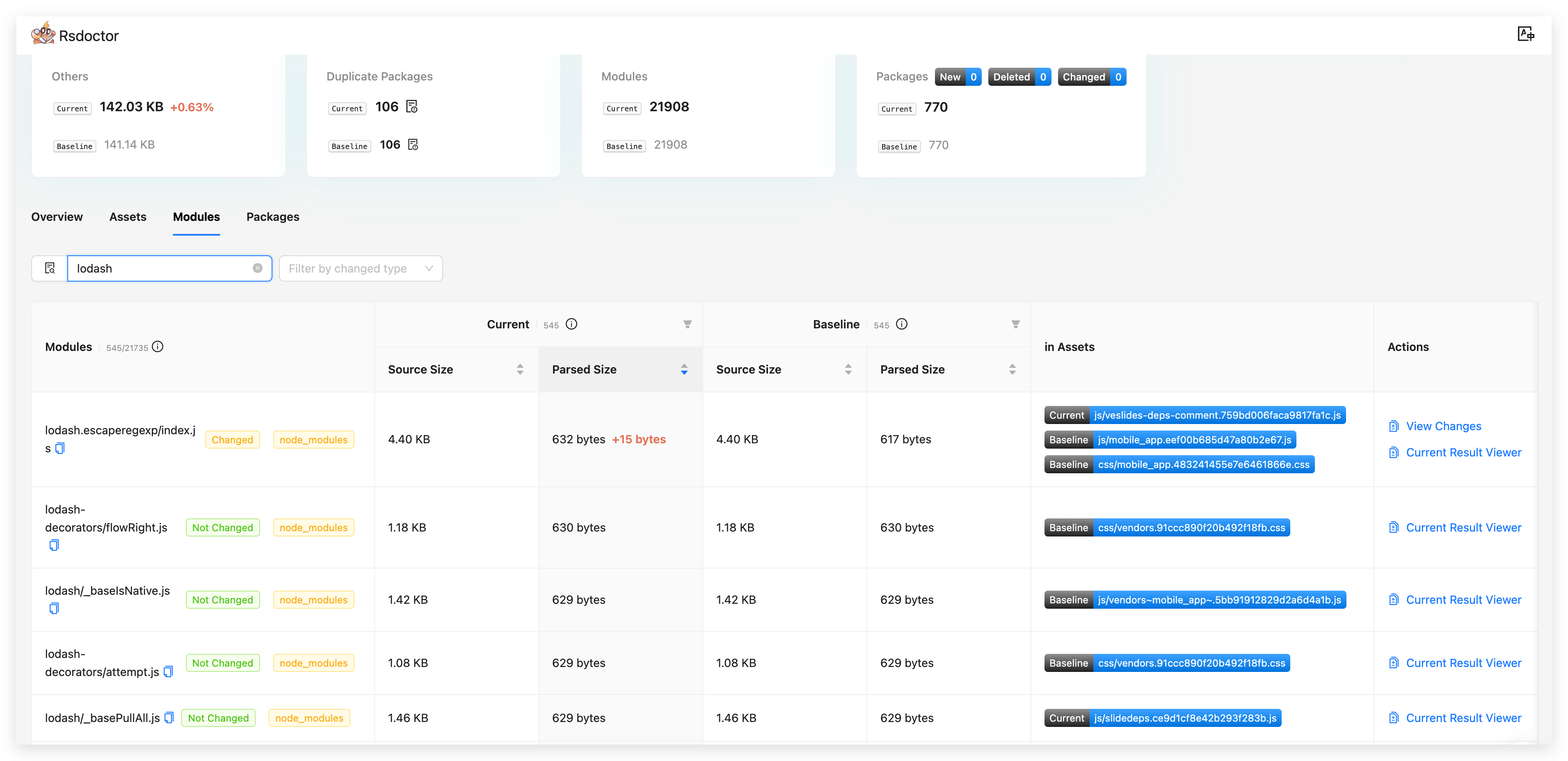
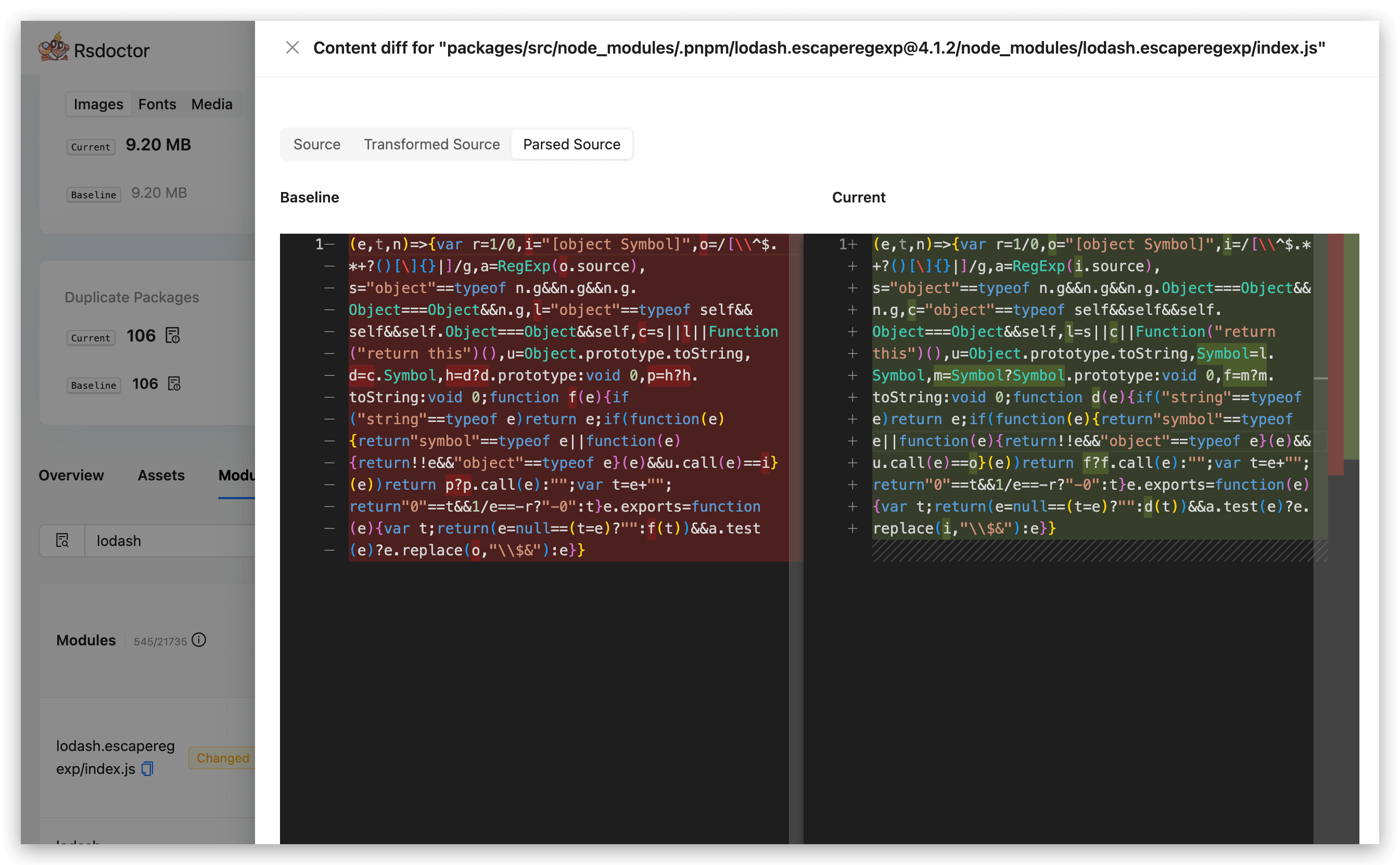
On the right side of the list items, you can view the module code changes by clicking the corresponding "View Changes" button.
Code comparison includes several types of data:
- Source Code: Source code data. Available in
Normalmode, not available inLitemode, and not available inBriefmode. - Bundled Code: Built code. Available in
Normalmode, available inLitemode, and not available inBriefmode.
Packages
In the Packages module, we can see the list of all NPM Packages contained in the two builds. Each list item includes the Package Name, Version, and Parsed Size (final size after packaging).